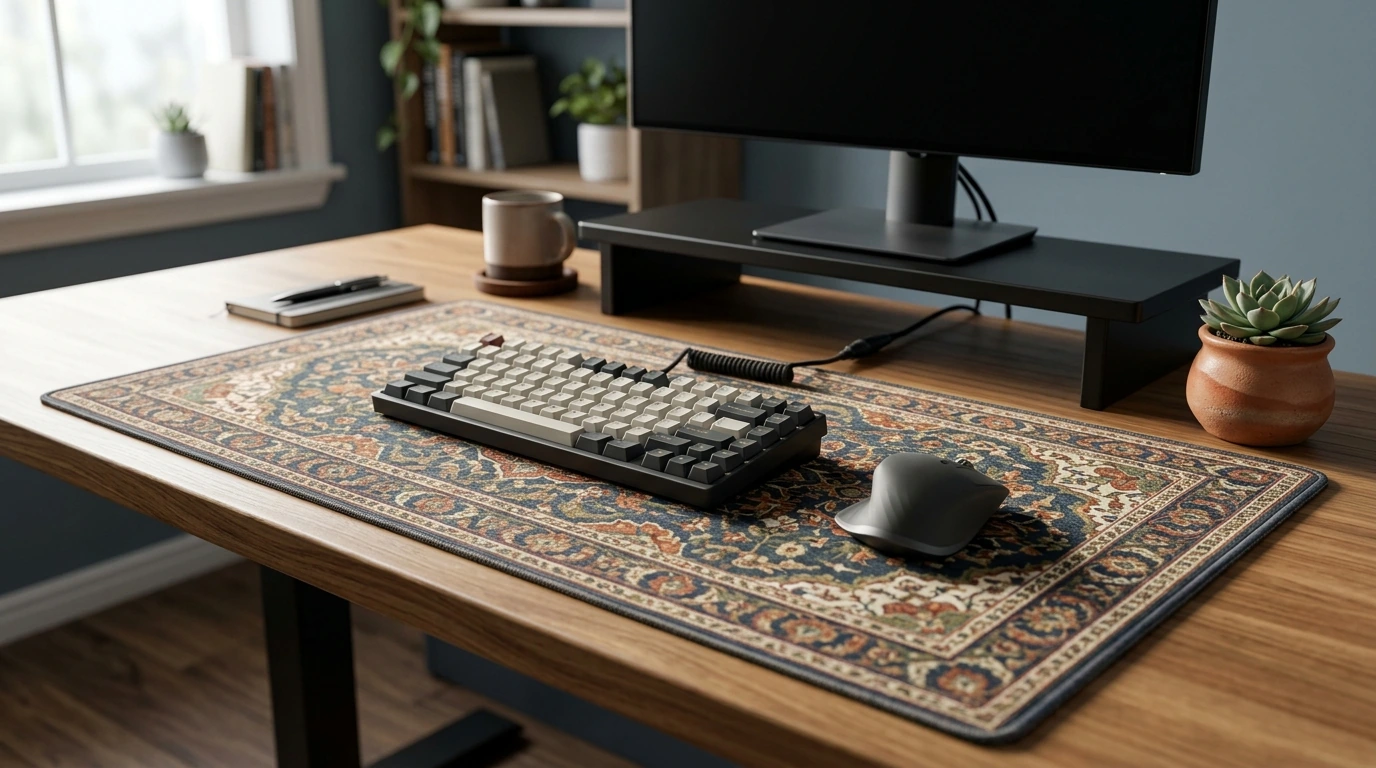
A large desk mat can change how a setup feels and performs—smoothing mouse tracking, reducing desk noise, and tying everything together visually. This Persian-inspired extended pad is designed to cover both keyboard and mouse space while staying planted during fast movements, so your desk feels less like a collection of parts and more like one intentional workspace.
An extended desk mat goes beyond the footprint of a standard mouse pad, creating one continuous surface that supports your whole interaction zone—keyboard, mouse, and the space your wrists and forearms naturally pass over.
If you’ve ever noticed your keyboard “walking” during intense gameplay or your mouse feeling different depending on where it lands on the desk, an extended mat addresses both issues in one upgrade.
A desk mat is always in view—so design matters. The Persian-style ornamental pattern adds a curated, finished look that can complement minimalist builds, colorful RGB setups, or warm wood-toned desks without looking out of place.
For a cohesive “desk vignette,” pair the mat with a single decor accent such as a small plant in the Ice Crack Gradient Ceramic Planter, then keep cables tucked so the pattern remains the star.
The most noticeable upgrade is consistency. A cloth-like surface offers predictable resistance for stopping power while still allowing smooth glide—especially helpful when switching between quick flick shots and steady tracking.
| Use case | What you notice | Why it helps |
|---|---|---|
| Competitive gaming | More consistent flicks and stops | Uniform friction and uninterrupted surface |
| Work & study | Less desk noise; cleaner workspace | Soft base dampens sound and visually organizes gear |
| Creative apps | Smoother fine cursor control | Reduced micro-jitter from desk grain or seams |
| Mixed use (gaming + office) | Fewer adjustments and less clutter | Keyboard and mouse share one stable base |
For day-to-day reliability, a quick wipe-down matters as much as the pad itself. Logitech’s general guidance for cleaning peripherals is a solid reference point for keeping gear performing consistently: Logitech Support: Mouse and keyboard cleaning guidance.
A large mat is only useful if it stays put. This style of extended pad uses a non-slip backing designed to resist drift during fast swipes and frequent keyboard repositioning.
If you’re upgrading an older setup, stability alone can make everything feel more “premium,” even with the same mouse and keyboard.
Comfort is more than softness—it’s also consistency. When your wrists and forearms rest on the same surface across your full range of motion, it’s easier to maintain a relaxed posture.
For workstation fundamentals (chair height, monitor placement, and neutral arm posture), two reputable references are the OSHA Computer Workstations eTool and Cornell University Ergonomics Web. A great desk mat complements good ergonomics—it doesn’t replace them.
For a softer, cozy touch on a nearby shelf or chair (especially in shared spaces), the Ultra-Soft 14″ Kawaii Bunny Plush with Long Ears adds personality without cluttering the work surface.
If you’re ready to anchor your whole setup with one cohesive surface, see the Persian Style Extended Gaming Mouse Pad – Large Non-Slip Desk Mat.
Yes—most cloth-style extended mats support both optical and laser sensors. For the most consistent tracking, keep the surface clean and replace the mat if it develops uneven wear or glossy spots over time.
Use a damp microfiber cloth for routine cleaning. For a deeper wash, use mild soap and cool water, rinse gently, and air-dry completely; avoid hot water, bleach, and high-heat drying.
Typically it should not on a clean, finished surface. To be safe, keep the desk dry and dust-free, and occasionally lift the mat to wipe away any trapped particles.









Leave a comment